As the sole designer at Melento, I built 6 interconnected products from scratch, CRM, task management, ticketing, calendar, messaging, and automation, used by sales and ops teams across an ed-tech company.
Every product was designed from scratch, sharing a unified navigation model, component library, and interaction language, so users switching between tools never had to re-learn the interface.
Melento's ambition was to be a one-stop enterprise OS, think Zoho, but built specifically for ed-tech ops teams. Every department tool in one product, connected by shared data.
I was the sole designer from day one. No handoff from a previous designer, no existing component library, no design history. I joined when the product was still a pitch deck.
Six products had to feel like one. Users would move between CRM, task management, ticketing, and messaging daily. If each tool had its own logic, the whole platform would fail.
Before designing a single screen, I had to decide: build features fast and clean up inconsistency later, or invest in a design system first and build everything from it. I chose the system.
The pressure in a 0→1 startup is to ship. Every founder wants to see screens, not a token library. I had to make a case for slowing down before we could go fast.
The problem I showed engineers
Without a system, every engineer was making independent UI decisions. Buttons had 4 different border-radii. Spacing was eyeballed. The same action, like "mark as done", looked different in every product.
Engineers were spending time debating design choices that had already been decided elsewhere in the same product. They were slowing down not because of engineering complexity, but because there was no single source of truth.
What I built before shipping any product
The result: when we shipped MTicket 4 months after CRM, engineers didn't need design review on component-level decisions. They just pulled from the system. It cut implementation time by roughly 30% and meant every product felt native to the same platform from day one.
The first version of Mel CRM looked good in Figma. It had everything, deal stages, contact history, activity log, custom fields, follow-up reminders. Only 60% of the sales team was using it after launch. The other 40% had gone back to spreadsheets.
I mapped every feature the sales team might ever need and put it all in the default view. The result was a screen with 20+ fields and four navigation levels. It was technically correct. It was unusable in practice.
I sat with sales reps as they used it. They'd open a deal, scan the screen, get overwhelmed, fill in just the fields they understood, and close it. 70% of fields were consistently empty. They weren't lazy, the form was asking questions they didn't have answers to upfront.
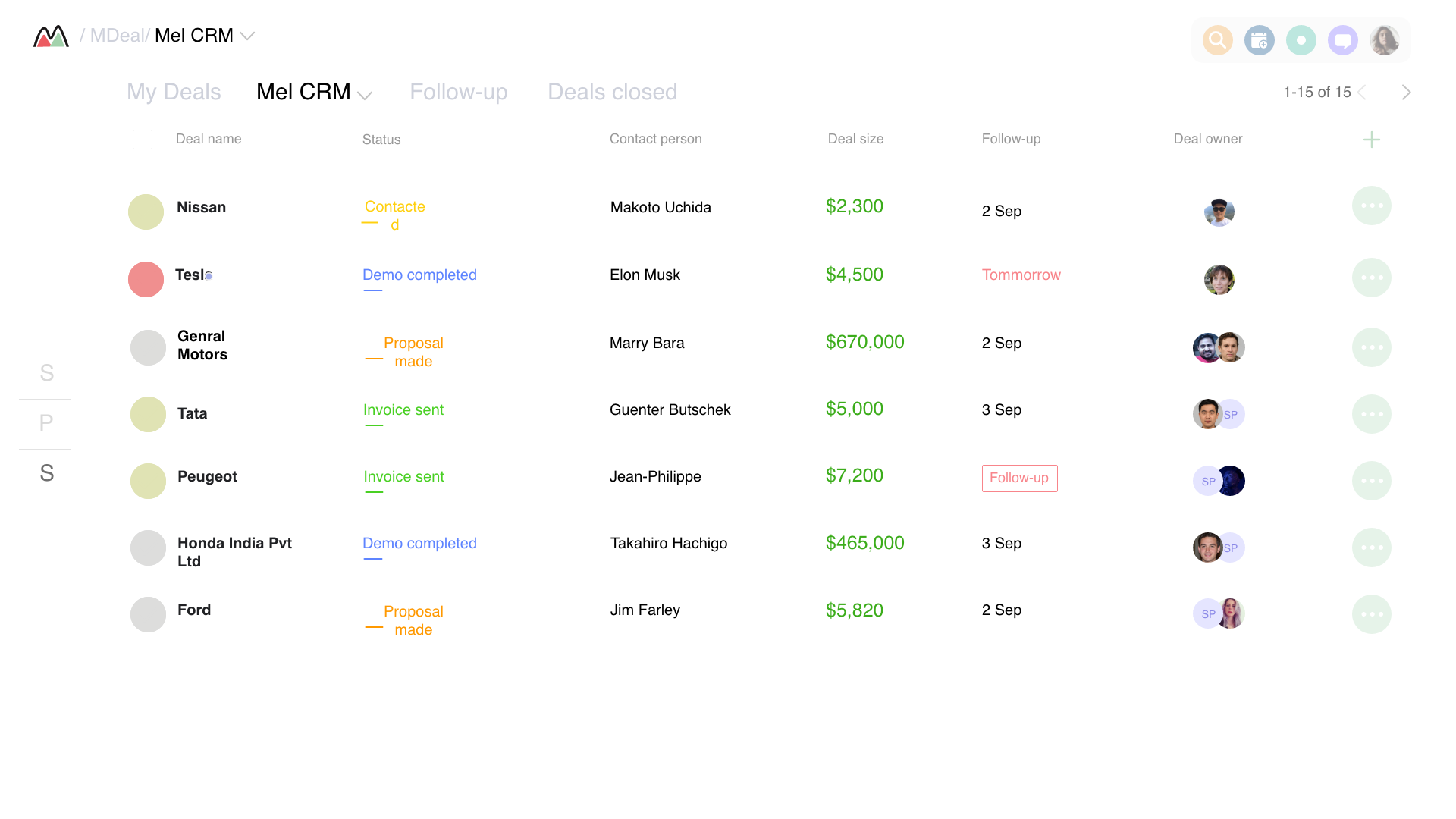
I'd been focused on the deal detail page. But watching users, I realised the list view was where they spent 80% of their time. They never needed to open a deal if the list told them enough. The form was overwhelming because I was asking them to do deep work at the wrong moment.
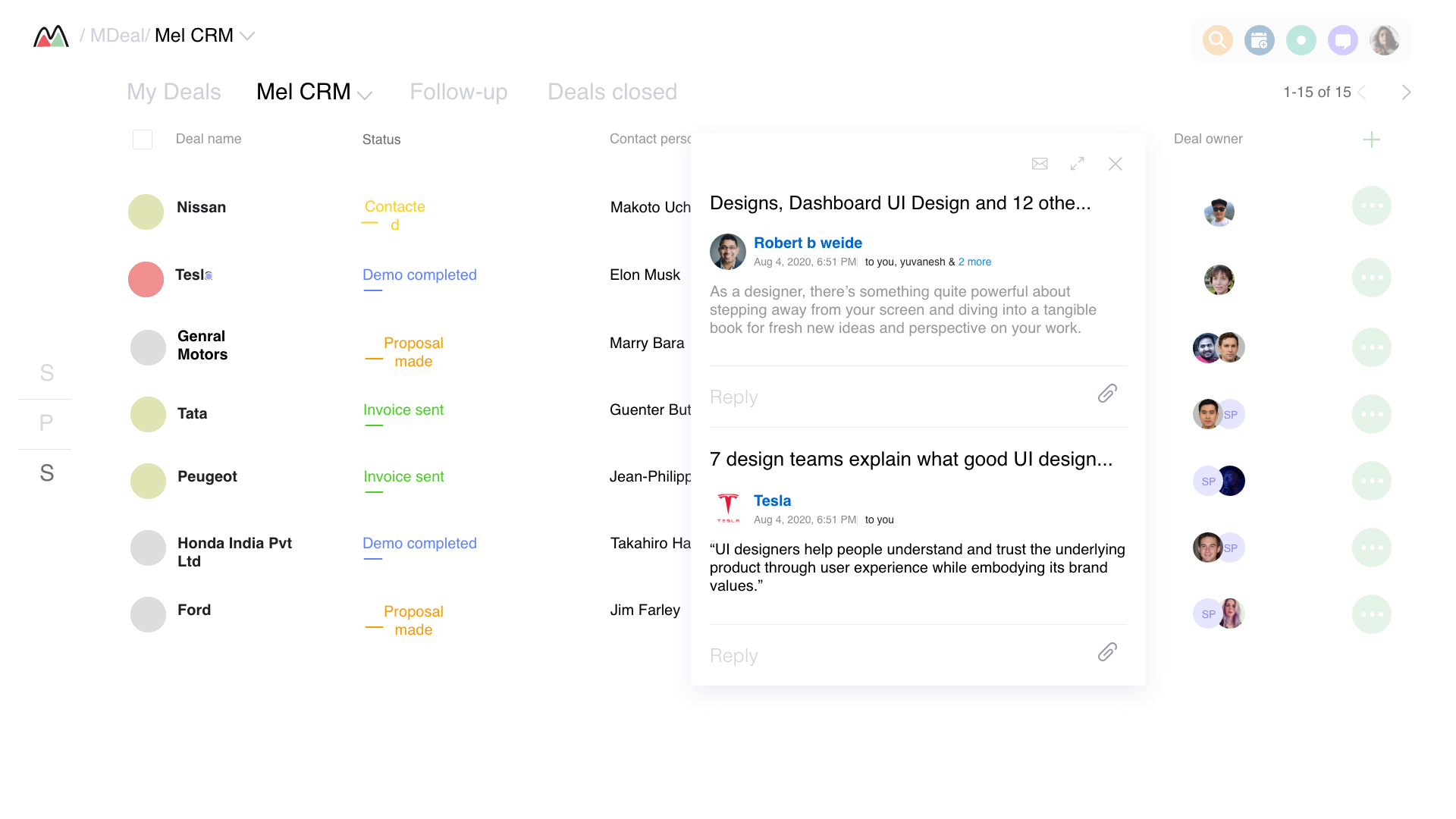
I rebuilt the Deals List to show the 6 things a rep needs at a glance, name, status, contact, value, follow-up date, owner. Everything else moved to the detail panel, revealed progressively. Reps could manage 90% of their pipeline without ever opening a deal. Adoption went from 60% to 100% in 6 weeks.
CRM, Sales Pipeline Design
From 60% to 100% team adoption · +122% lead conversion · Full case study below
Melento is an ed-tech startup with a 20-person sales team selling online courses and bootcamps. When I joined as the sole UI/UX designer, the team was drowning in spreadsheets, WhatsApp threads, and sticky notes. They had a CRM, but nobody used it.
The CEO told me: "Our reps use 4–5 tools for a single lead interaction. The CRM is just another tab they switch to for compliance, not because it helps them sell." My goal was to change that, to make the CRM something reps would open first thing in the morning, not avoid until the end of day.
Ed-tech startup · ~20 sales reps · Leads: online courses & bootcamps · Industry avg conversion: 25–30%
"I spend more time logging calls than making them. By the time I'm done with the CRM, I've forgotten what I wanted to say to the next lead."
Sales Rep, Melento"I get 50 leads in the morning. I have no idea which ones to call first. I just go top to bottom and hope for the best."
Senior Sales Rep, MelentoThe existing CRM was built for managers tracking data, not reps doing their jobs. Every screen was a dashboard of metrics. Reps needed action, not analytics.
Instead of a sea of charts and metrics, I designed an action-oriented daily dashboard. When reps open the CRM in the morning, they see their top 5 prioritized leads, 3 key tasks, and a single number: their conversion rate this week.
The name "Morning Coffee" was coined by the team, they said it felt like the dashboard was having a coffee with them, briefing them on the day ahead.
Design principle: Surface what needs to happen, not what already happened. Data is for managers. Action is for reps.
Instead of opaque scores, I designed a transparent scoring system, each lead's score breaks down into visible factors: engagement signals, demographic match, interaction history. Reps understand why a lead is hot, not just that it is.
Key insight: Reps ignored black-box scores. When they could see the reasoning, they trusted the system and acted on it. Explainability drove adoption.
Logging a call went from a 4-minute ordeal (8 fields, 3 screens) to a 15-second gesture. A persistent action bar and ⌘+L shortcut work from anywhere in the CRM.
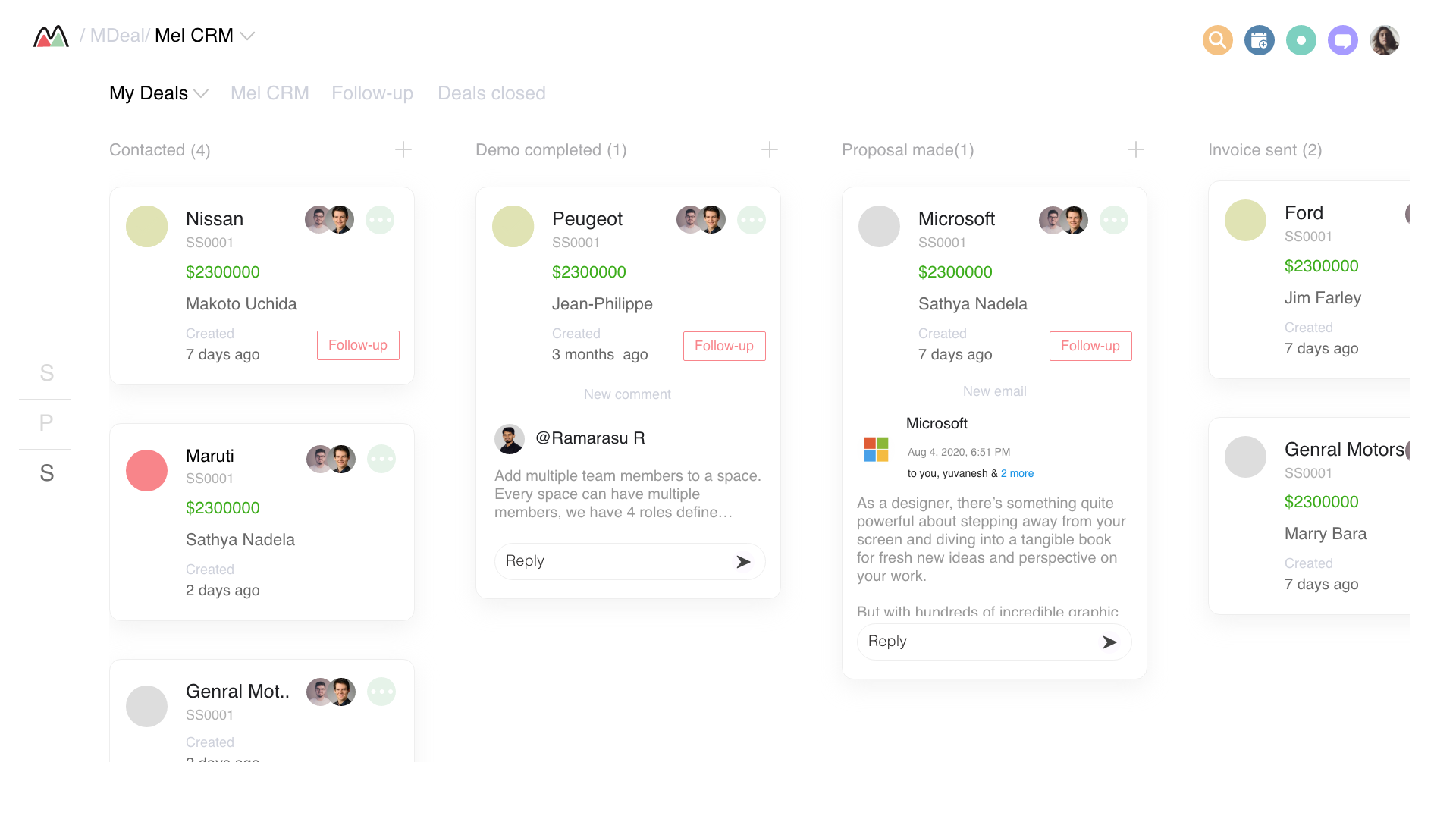
Live funnel visualization showing exactly where leads drop off. Stale lead alerts (no activity in 5+ days) surface automatically, before leads go cold.
Inbound leads automatically matched to the best-fit rep, based on past conversion by lead type, current workload, and availability. No more manual routing.
Contextual tooltips and a guided first-week checklist cut training time from 2 weeks to 3 days. New reps hit quota-pace in their first week.
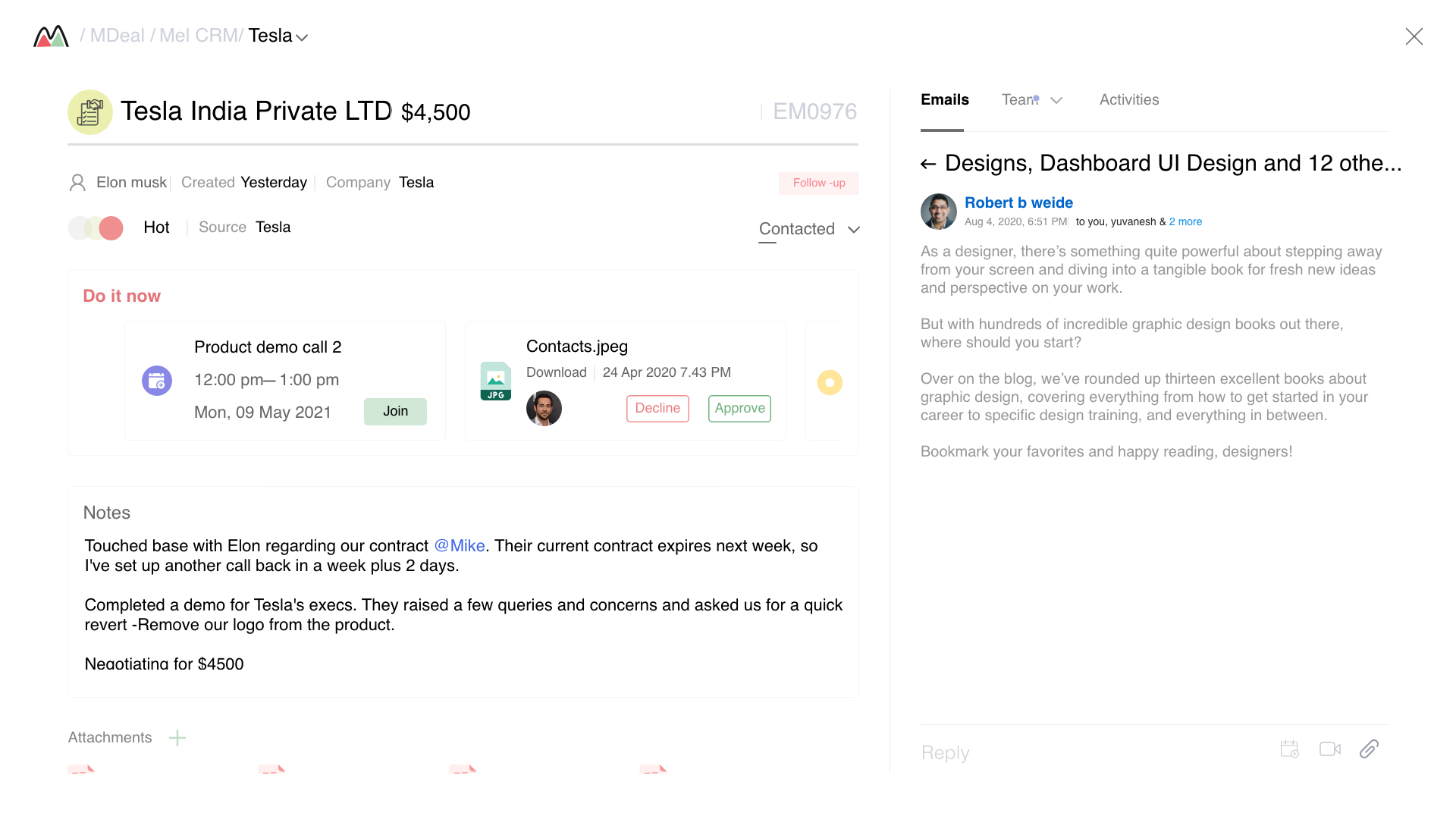
Deal Detail, full context in one panel: notes, meeting events, attachments, and the activity timeline. No tab-switching.
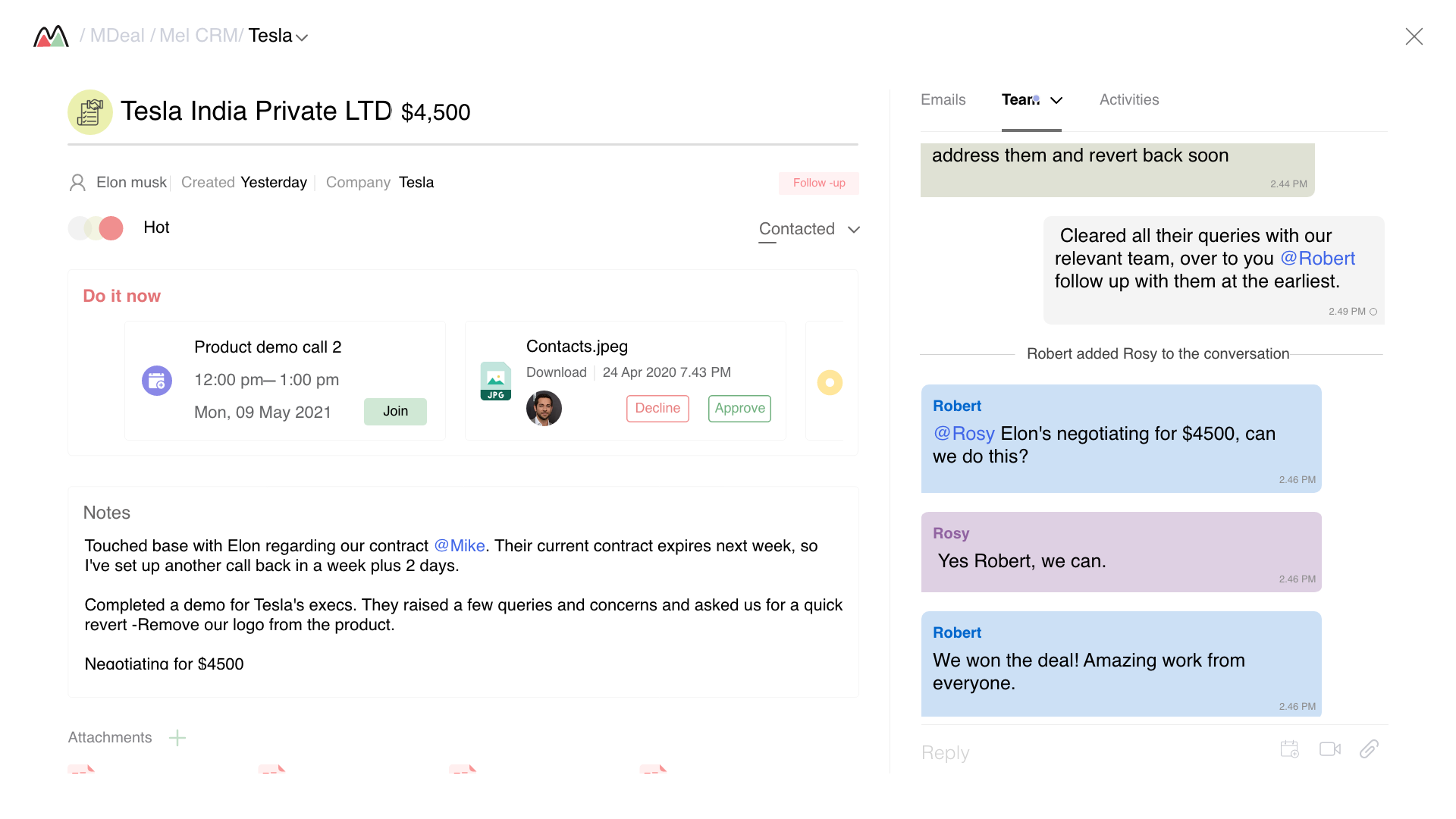
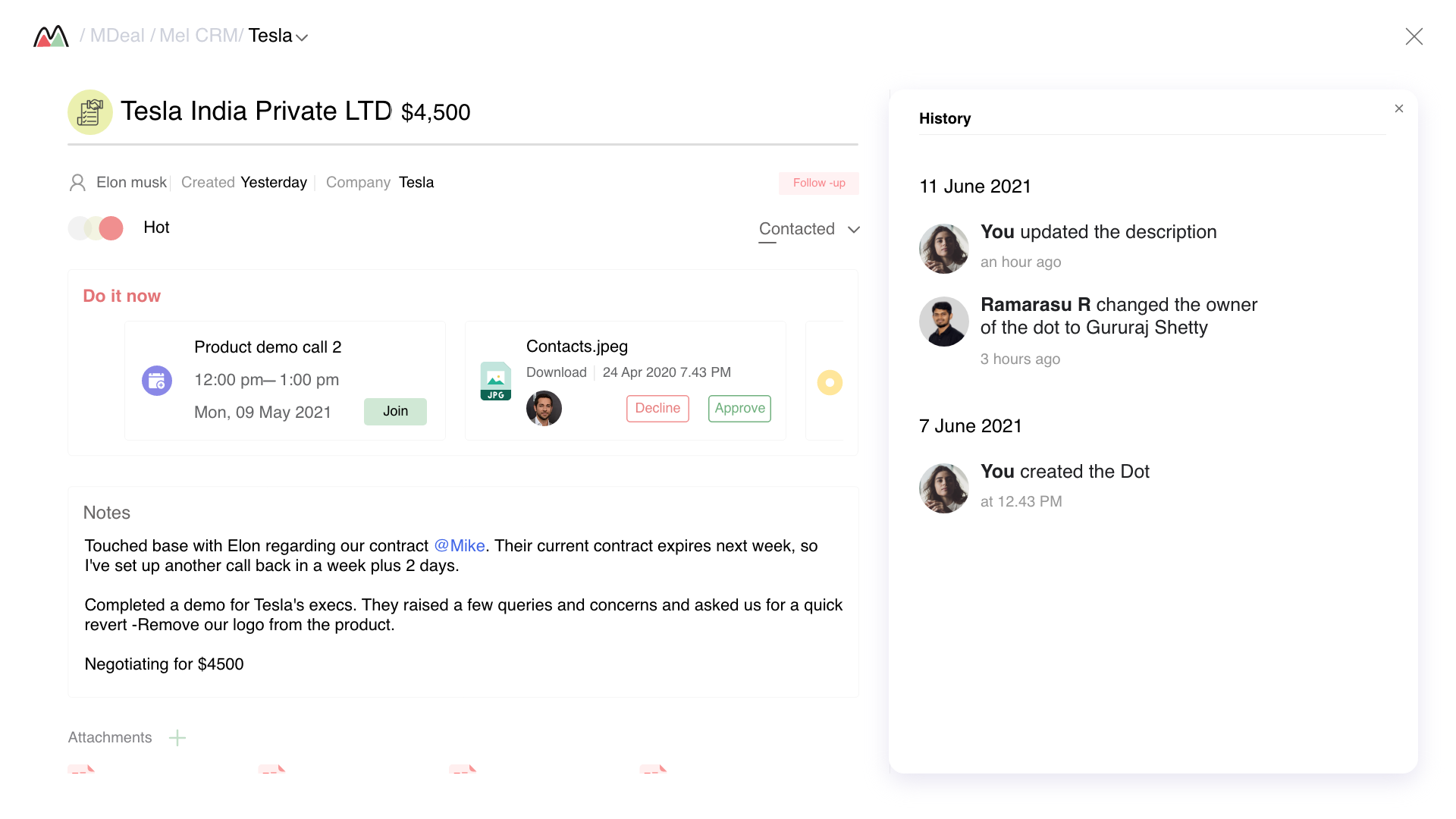
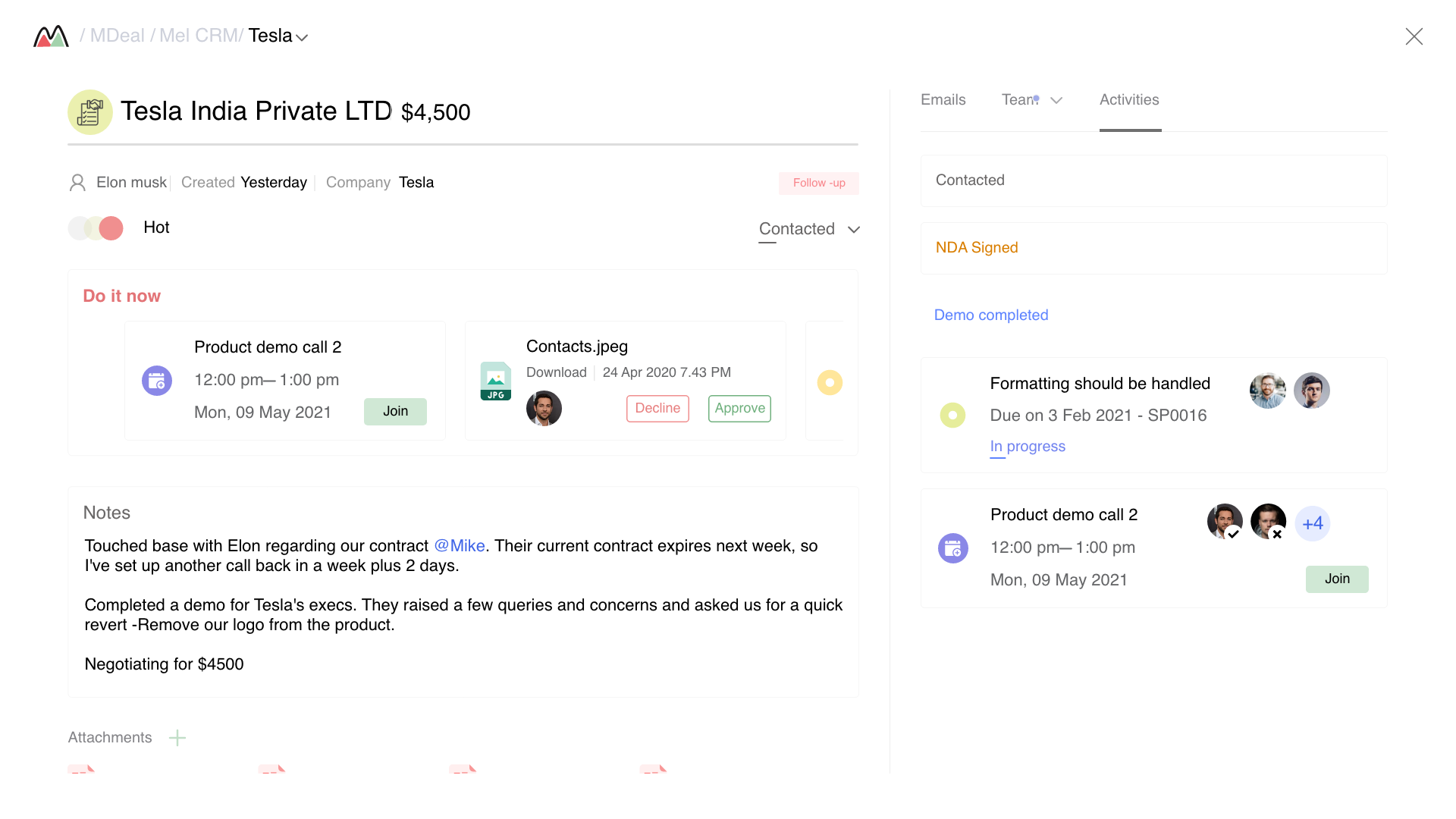
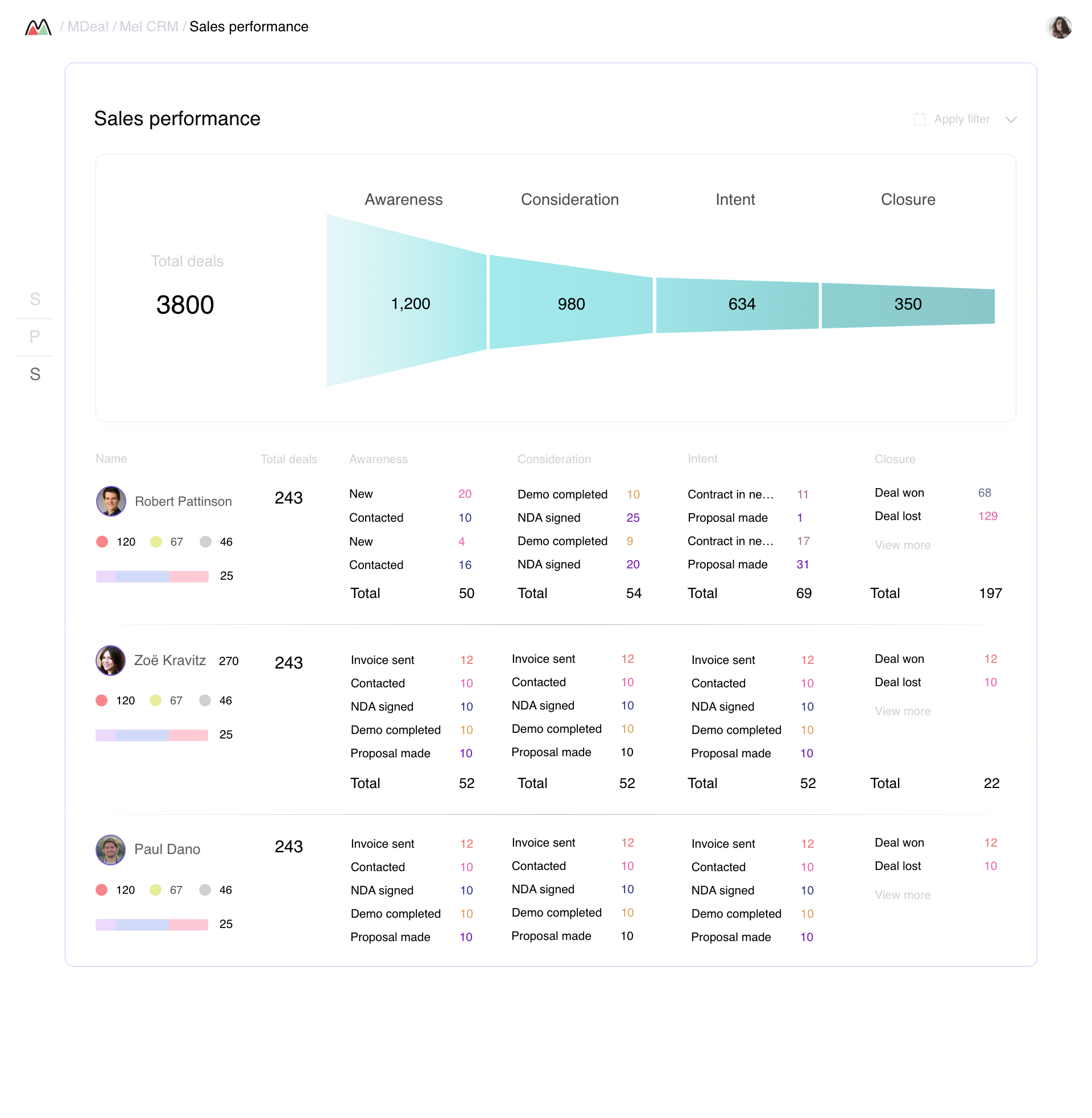
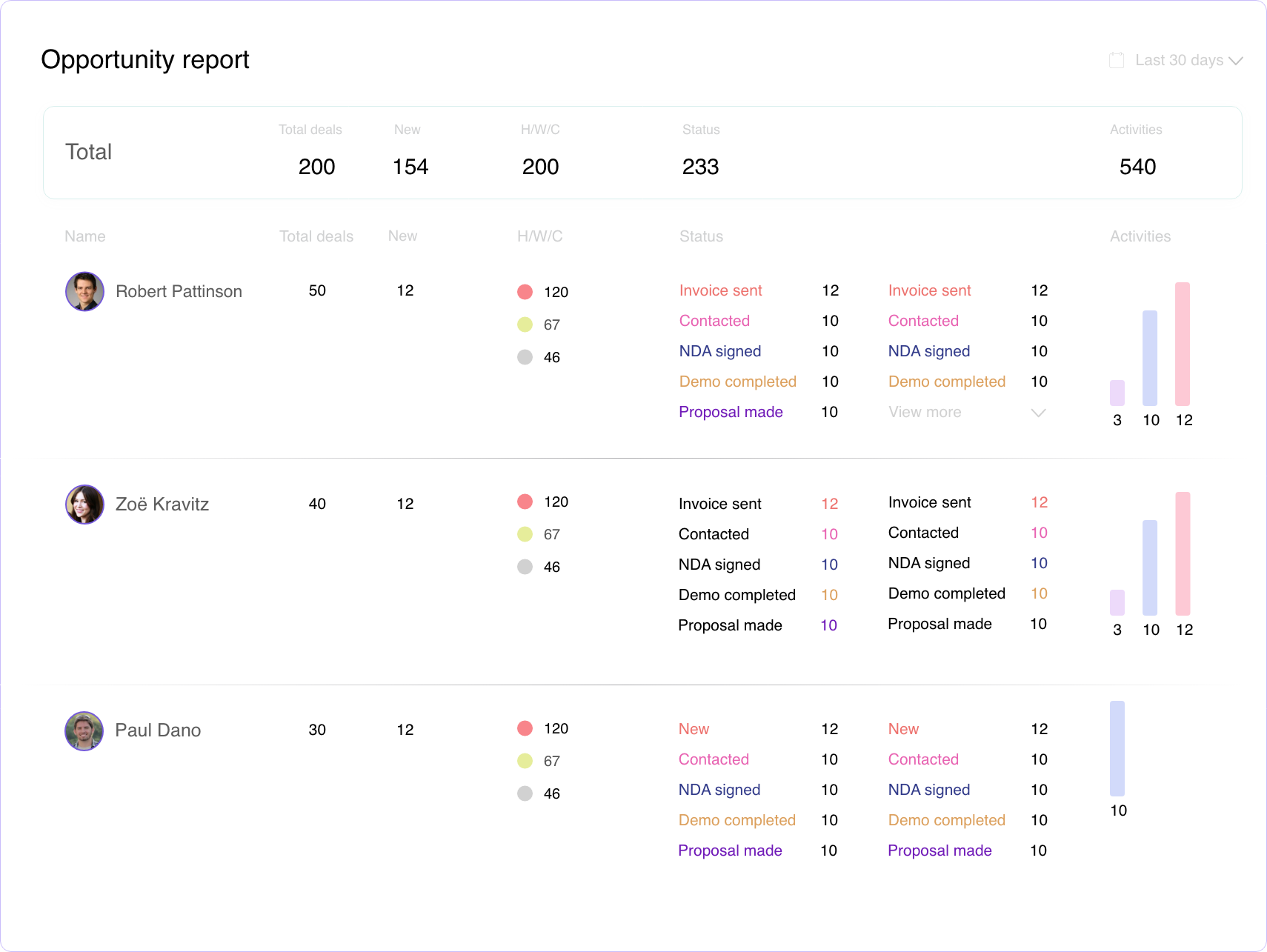
The "Morning Coffee" view. Action-oriented daily brief with prioritized leads, tasks, and a single key metric. No charts until you scroll.
Intelligent lead list with transparent scoring, 1-click actions, and contextual filters. Replaces 3 separate tools reps were using.
Live funnel view with stage-by-stage conversion rates, stale lead detection, and drag-to-move stage progression.
Unified task view across all leads. Triage by due date, lead temperature, or priority. Task templates for recurring follow-up patterns.
Manager-facing analytics. Rep performance, lead source ROI, conversion by course type. Answers the 5 questions managers asked every week.
Launched with the Morning Coffee dashboard, a simplified lead list, and 1-click logging. Adoption jumped from 60% to 75% in the first month. Reps loved the dashboard but found the lead list still overwhelming, 50+ leads with no guidance on where to start.
Added transparent lead scoring and the pipeline funnel view. Conversion improved to 28%, above industry average for the first time. But reps started gaming the scores, marking leads as "spoke to" without actually calling.
Launched smart auto-assignment and stale lead alerts. Response time dropped from 4 hours to 45 minutes. Adoption hit 95%. But the 5% holdouts were the most senior reps, they felt the system was micromanaging them.
Launched the full Reports module and new rep onboarding flow. Adoption reached 100%. Built a design system used by the engineering team for all future features. Conversion hit 40%, nearly doubling the industry average.
Reps didn't open the CRM because it didn't help them do their job, sell. Once the dashboard surfaced their next actions instead of company metrics, adoption became a non-issue.
A black-box AI score was ignored. A score with visible reasoning was acted upon. Users don't distrust intelligence, they distrust opacity.
The 40% of "Avoiders" weren't lazy, they were telling us the tool wasn't worth the overhead. We treated low adoption as user failure. It was a design failure.
Senior reps resisted until we gave them "Expert Mode." The lesson: don't optimize exclusively for the median user. Giving them control converted the last 5% holdouts.
A CRM that nobody uses is just an expensive spreadsheet. The best tools reduce friction to zero, they become invisible.
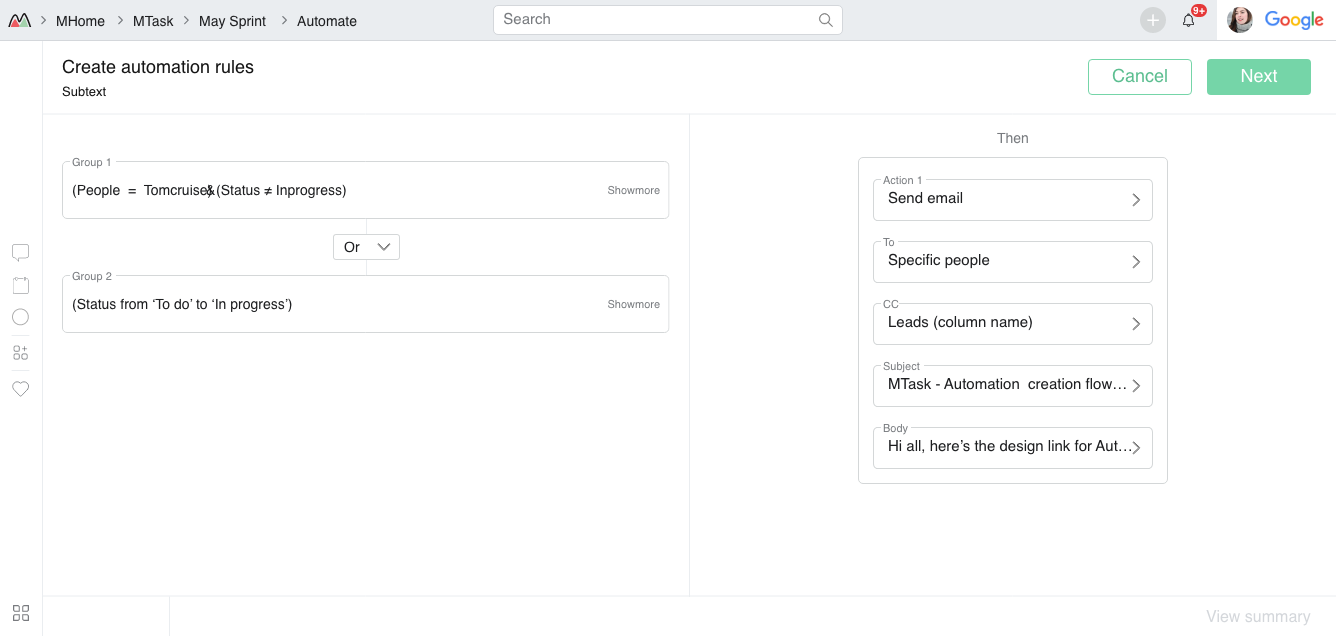
Automation was a no-code workflow builder that connected all 6 products, the most technically complex design problem I tackled at Melento. The challenge wasn't the canvas; it was making enterprise logic feel simple enough that a non-technical ops manager could build it.
When an event happens
e.g. Deal moved to Won
Only if criteria match
e.g. Deal value > ₹5L
Do something across products
e.g. Create MTicket + send Mreach alert
Zero manual steps
Ops team runs without engineers
Example automation, built by an ops manager, no code
Users understood email automation but not graph-based flows. I mapped the UI to a familiar "If This Then That" pattern, trigger → condition → action, so it clicked immediately without a tutorial.
The hardest design challenge: how do you let users pass data between 6 products without exposing the data schema? I introduced plain-language variable tokens (e.g. {{deal.name}}) that felt like writing, not engineering.
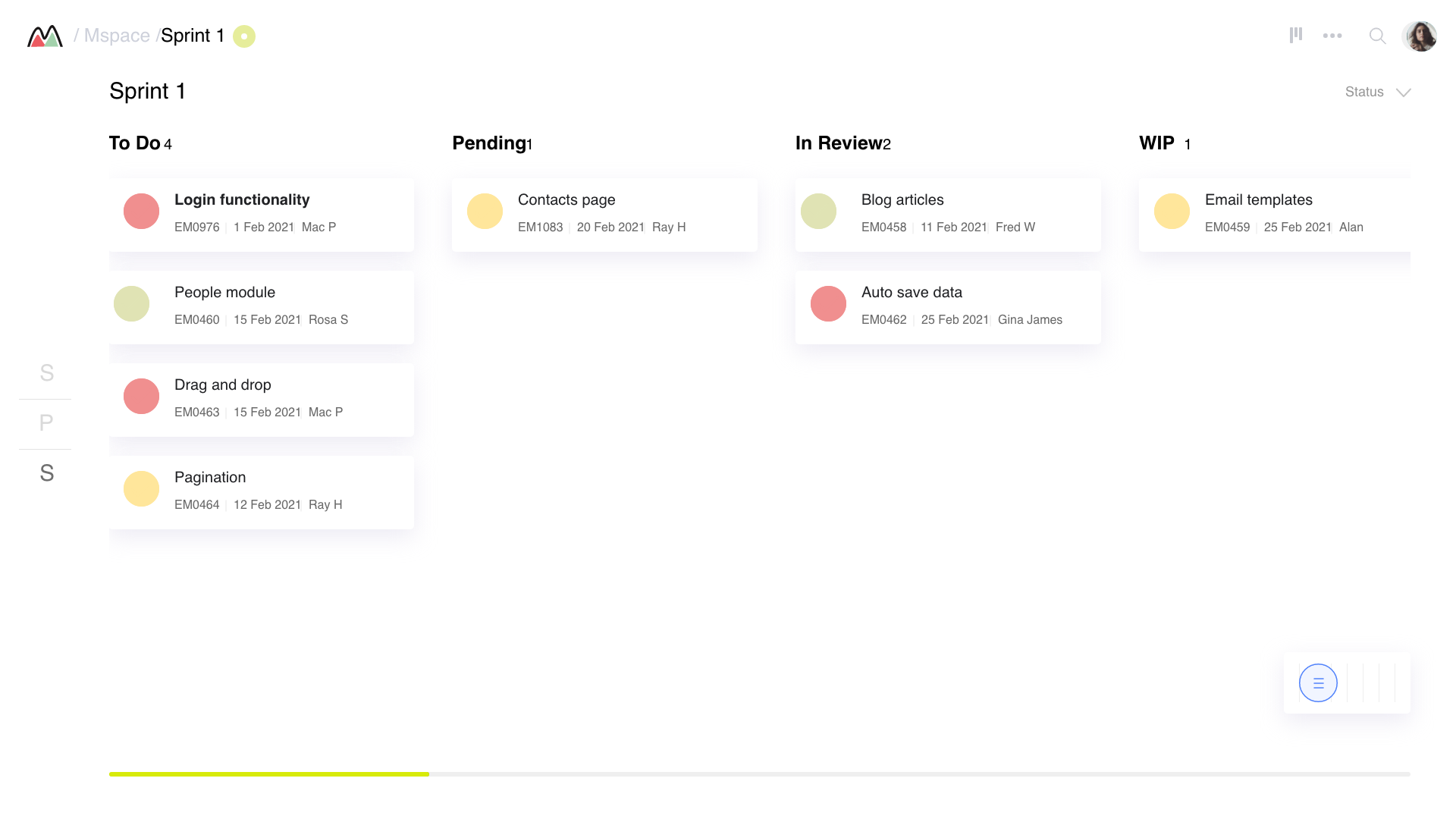
MSpace, Task Management
Kanban boards and dense list views with sprint tracking, built for ops and admissions teams to replace Trello
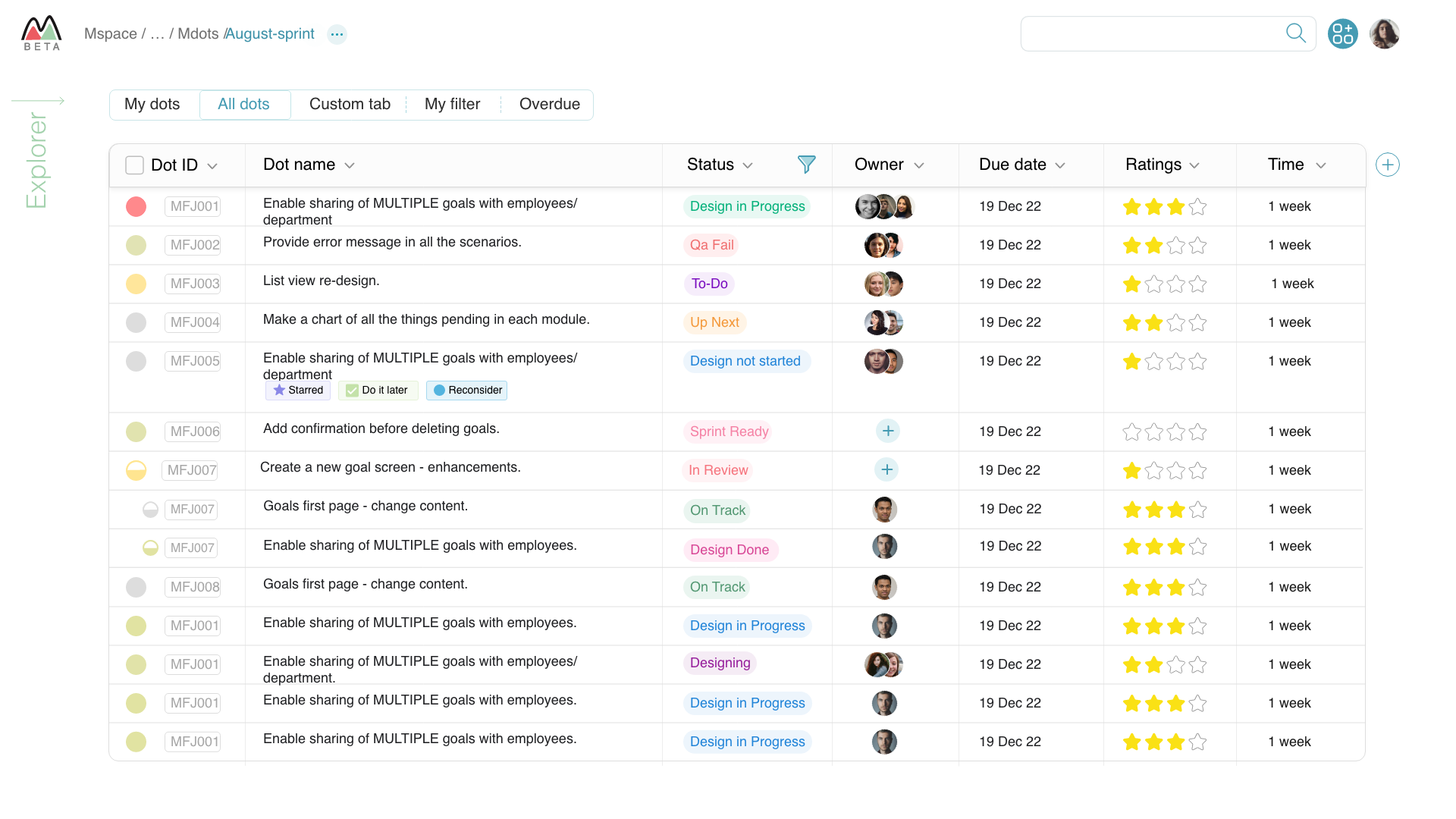
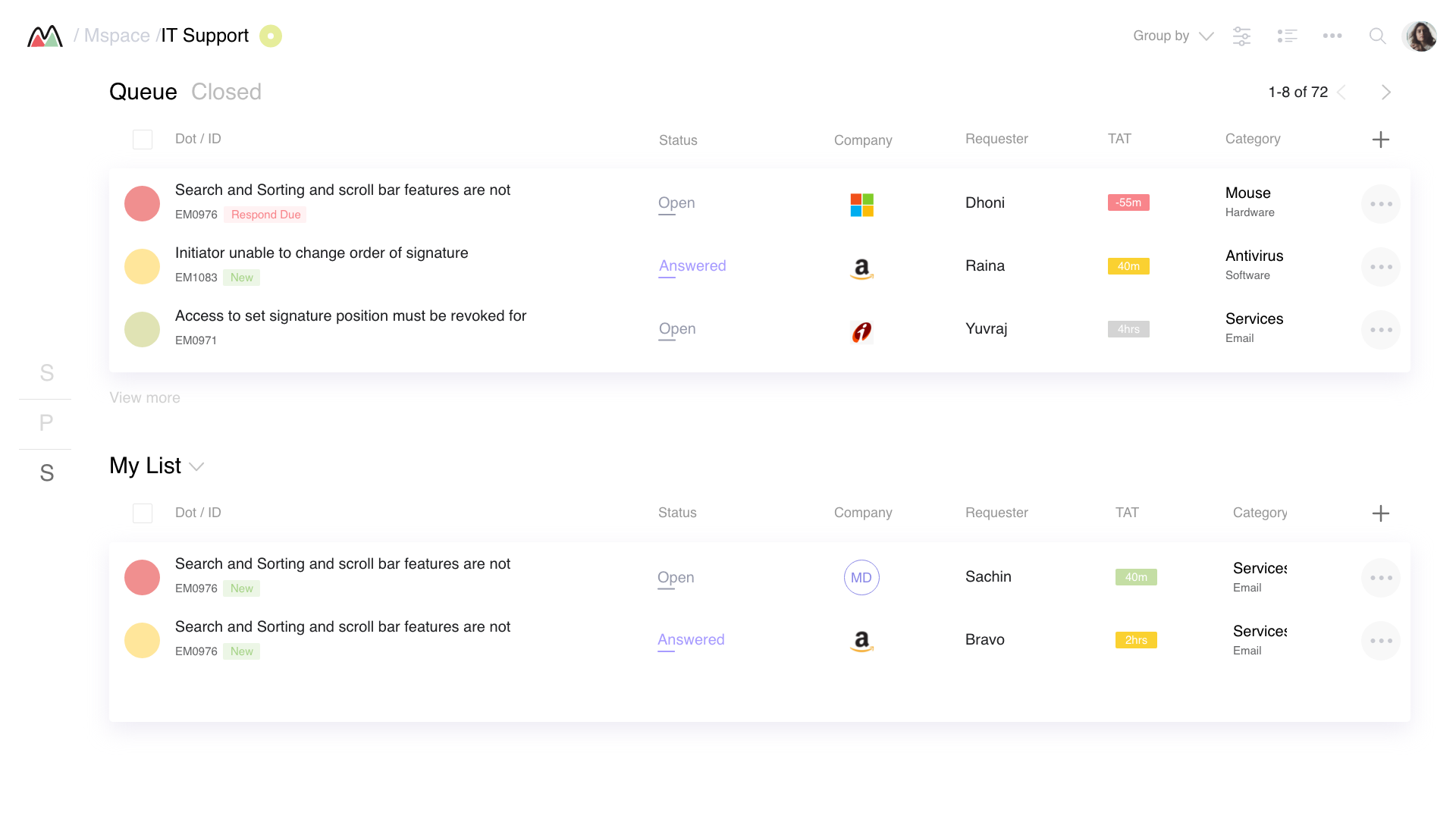
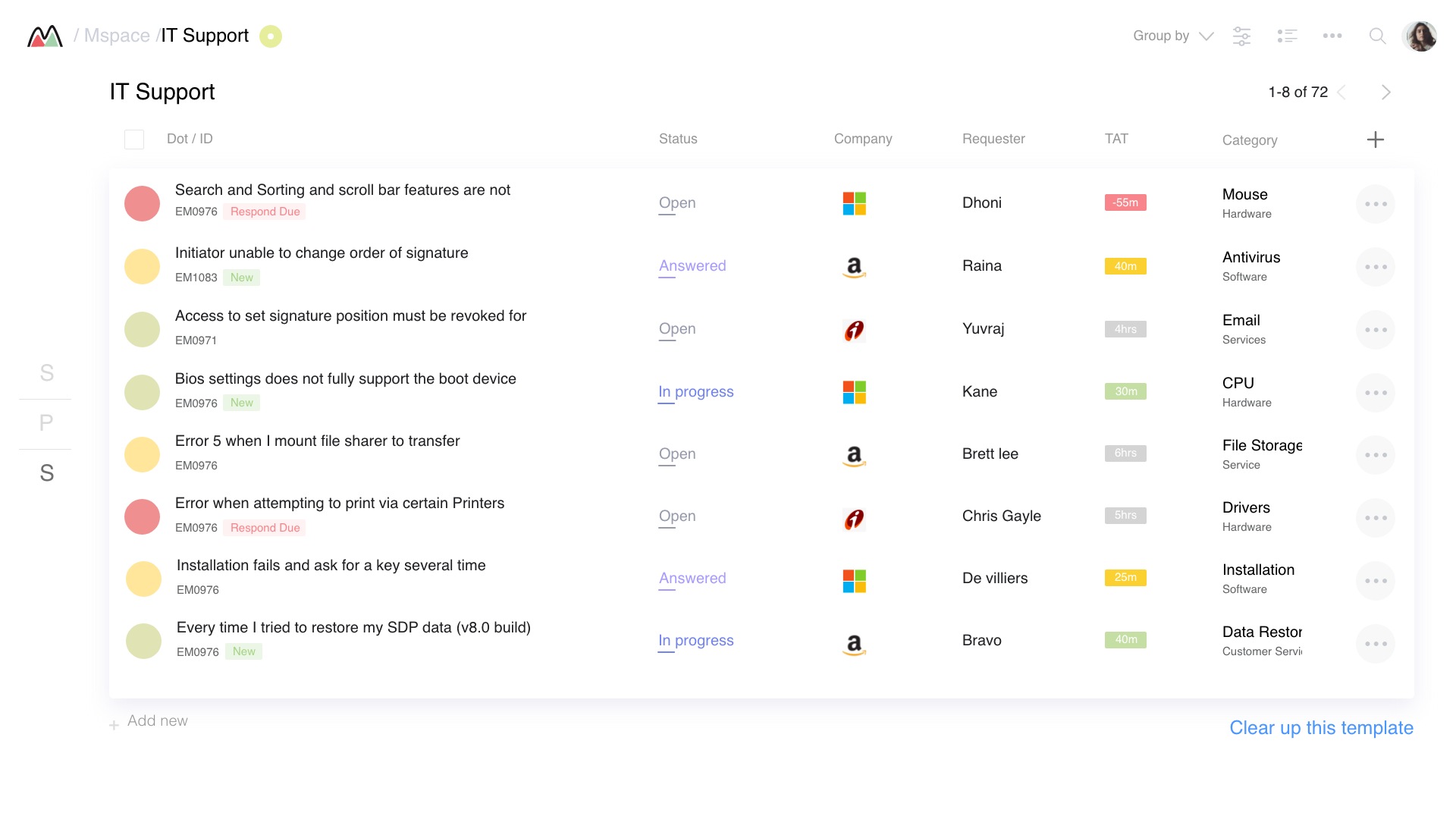
MTicket, Issue Tracking
Queue management with TAT tracking, B2B requester context, and customisable columns, Jira-style but lighter
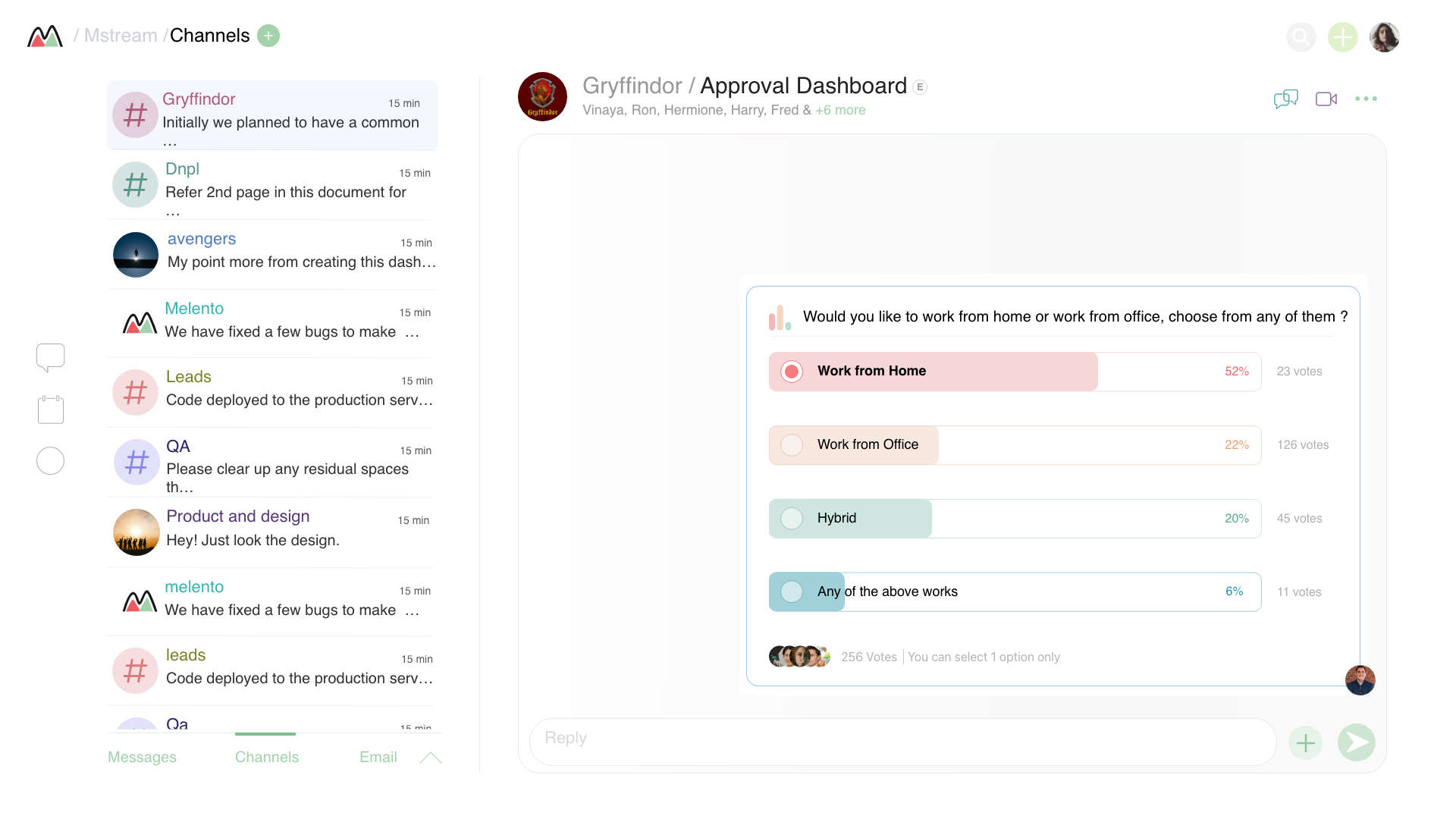
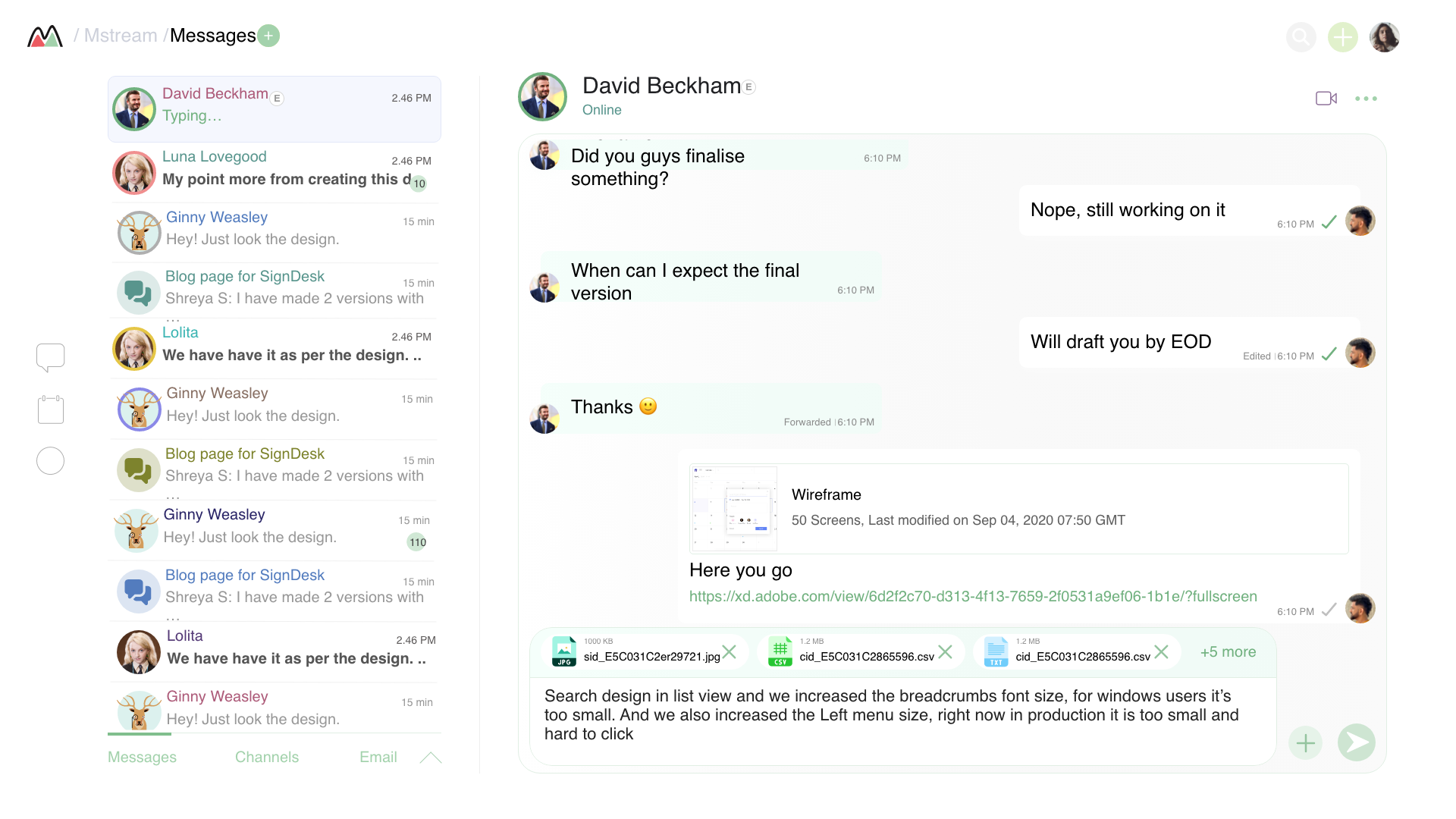
Mreach, Messaging & Channels
Slack-style channels with polls, DMs with rich file sharing, replaced scattered WhatsApp groups for internal comms
MPlan, Calendar & Scheduling
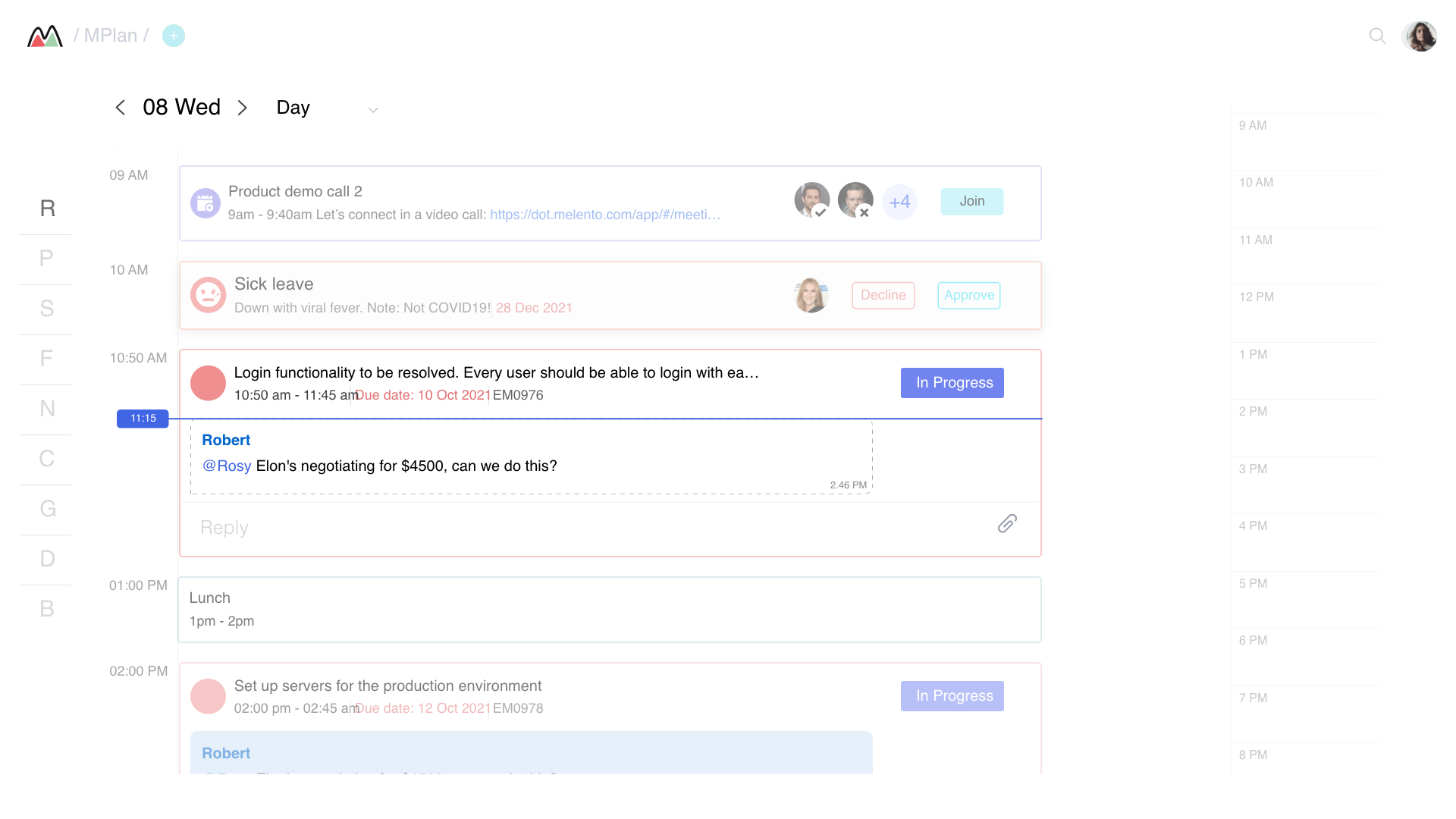
Day, week, and month views with task deadlines, video calls, leave requests, and inline replies, all in one calendar
The Rule Builder
When → Then logic with grouped conditions and multi-field actions, designed so non-technical ops managers could build automations without asking engineering